Hotel Bookings - Help
1.
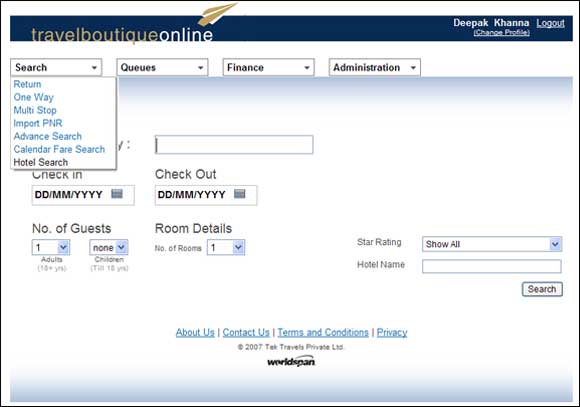

- To start, Select "Hotel Search" from the Search drop down menu.
2.
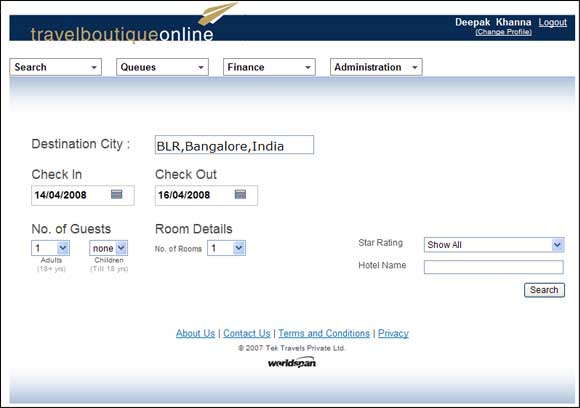
- Enter the city you wish to search for hotels, along with the Check and Check out dates. Enter number of guests and the number of rooms required.
- If you wish to restrict the search to a particular star rating, choose rating from the Drop Down menu.
- If you wish to search for a particular hotel only, enter the hotel's name in the Hotel Name field.
3.
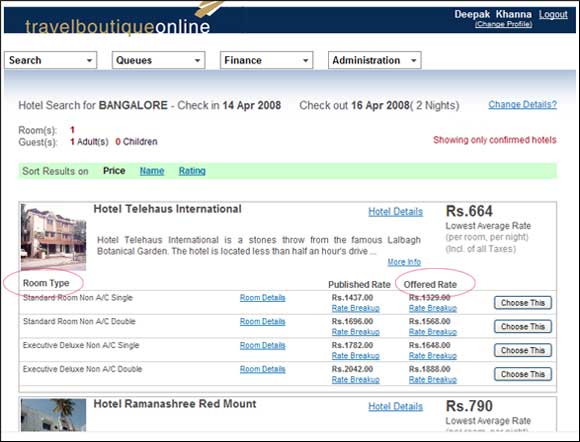
- You will get a list of available hotels along with their room rents. Each hotel may have many different fares according to the room type.
- The fares are shown as Published Rate and Offered Rate. The offered rate is the net price which the agent will be paying to Travel Boutique Online.
- Go through the results and choose the best Hotel and Room option by clicking on the 'CHOOSE THIS' button next to Offered Rate.
4.
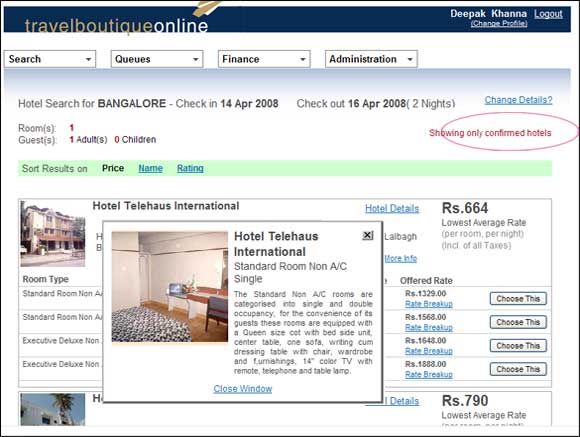
- To find out more about a particular room type, click on the Room Details link.
5.
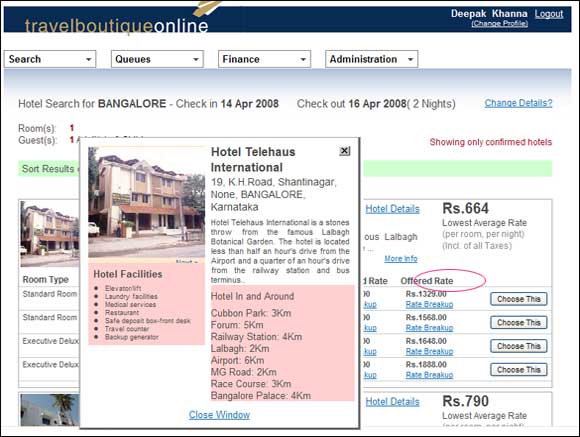
- To find out more about a particular hotel, click on the Hotel Details link. This will show you all the facilities and amenities provided by the hotel.