Hotel Bookings - Help
6.


- Click on Rate Breakup to view the room rates as applicable on different days of the week.
7.
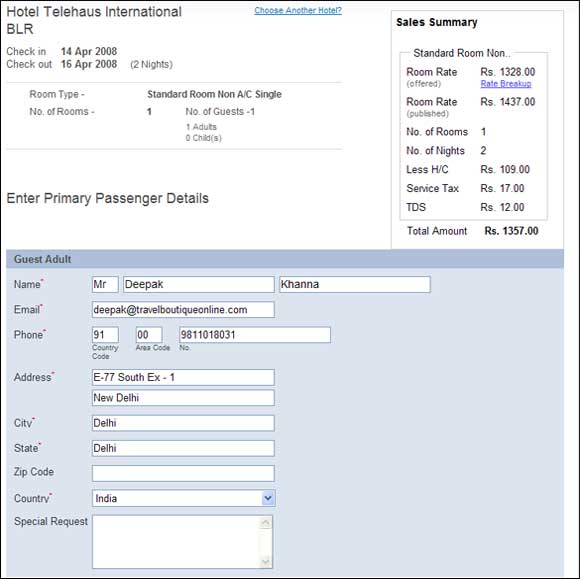
- Once you have made a choice of hotel and room, you will have to enter the details of the primary passenger. If you have a specific request for the hotel, you can enter it in the space provided. You can also review you Sale Summary on this page.
8.

- Before confirming the sale, you can review the whole transaction. You can change guest details at this stage. Before confirming the sale, please go through the Hotel Norms and the Cancellation Charges.
9.
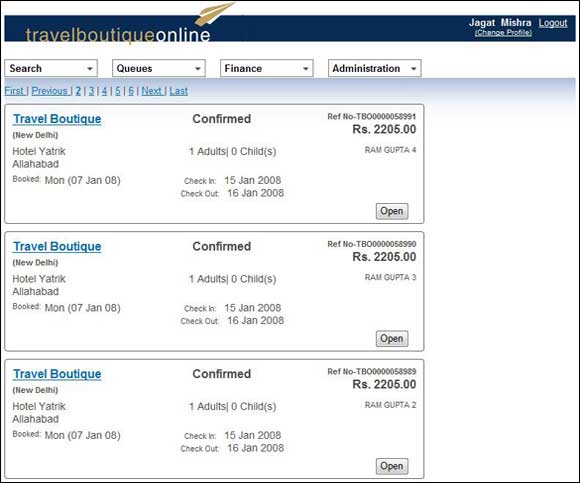
- Once you confirm your choice, the booking will go to the Hotel Booking Queue.